

Build and manage your fleet
Acquire trains, assign them to services and decide where each train is needed next.

Build your passenger railway company, manage trains and services, and adapt as an independent Authority develops the infrastructure around you.
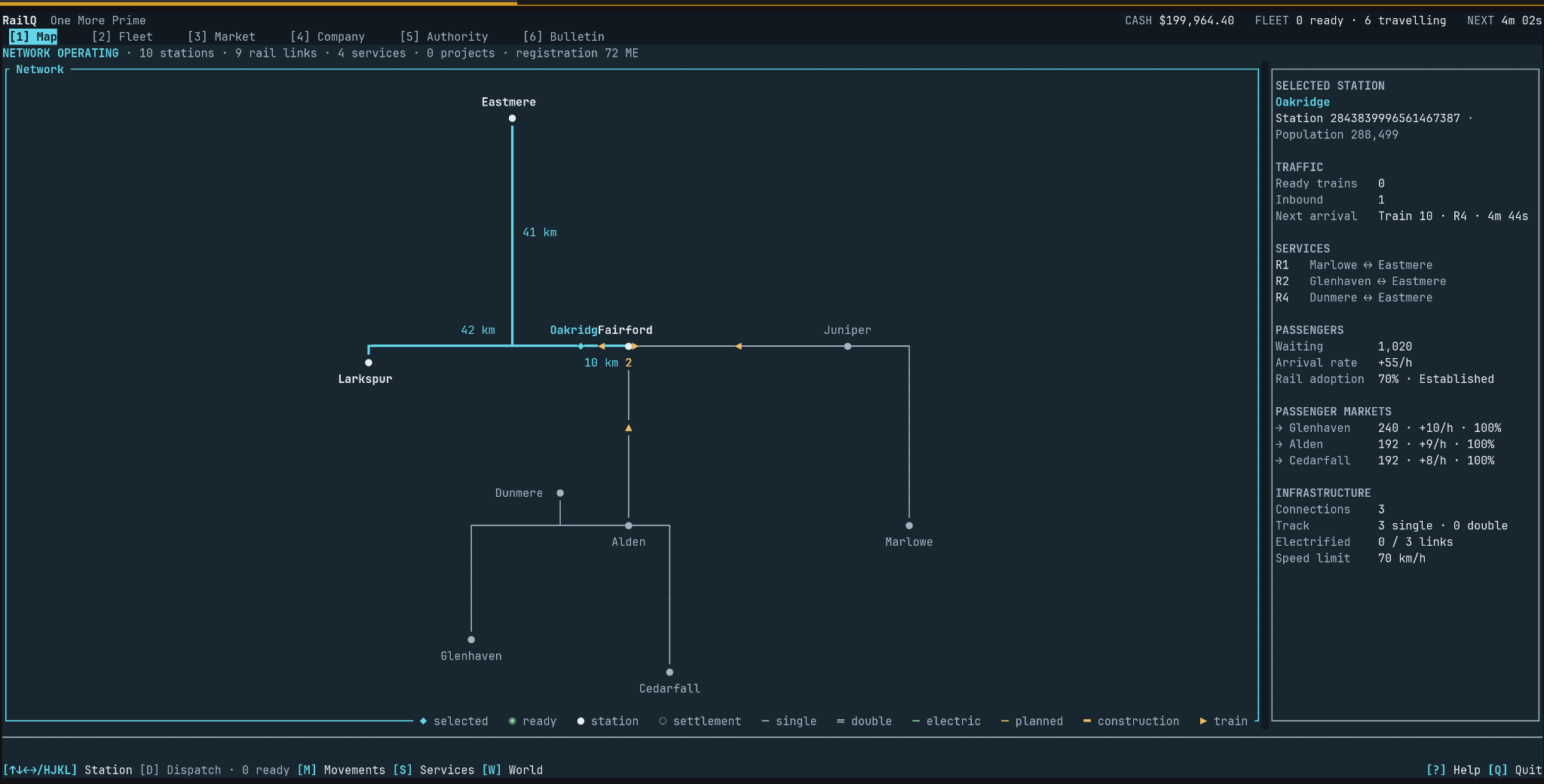
The network at a glance
Follow connections, moving trains and upcoming arrivals from the network map.
The gameplay
You run the passenger operator. The railway infrastructure develops around you.
Acquire trains, assign them to services and decide where each train is needed next.
Set stopping patterns, allocate rolling stock and keep departures moving in real time.
Respond as an independent Authority develops the network and changes your options.
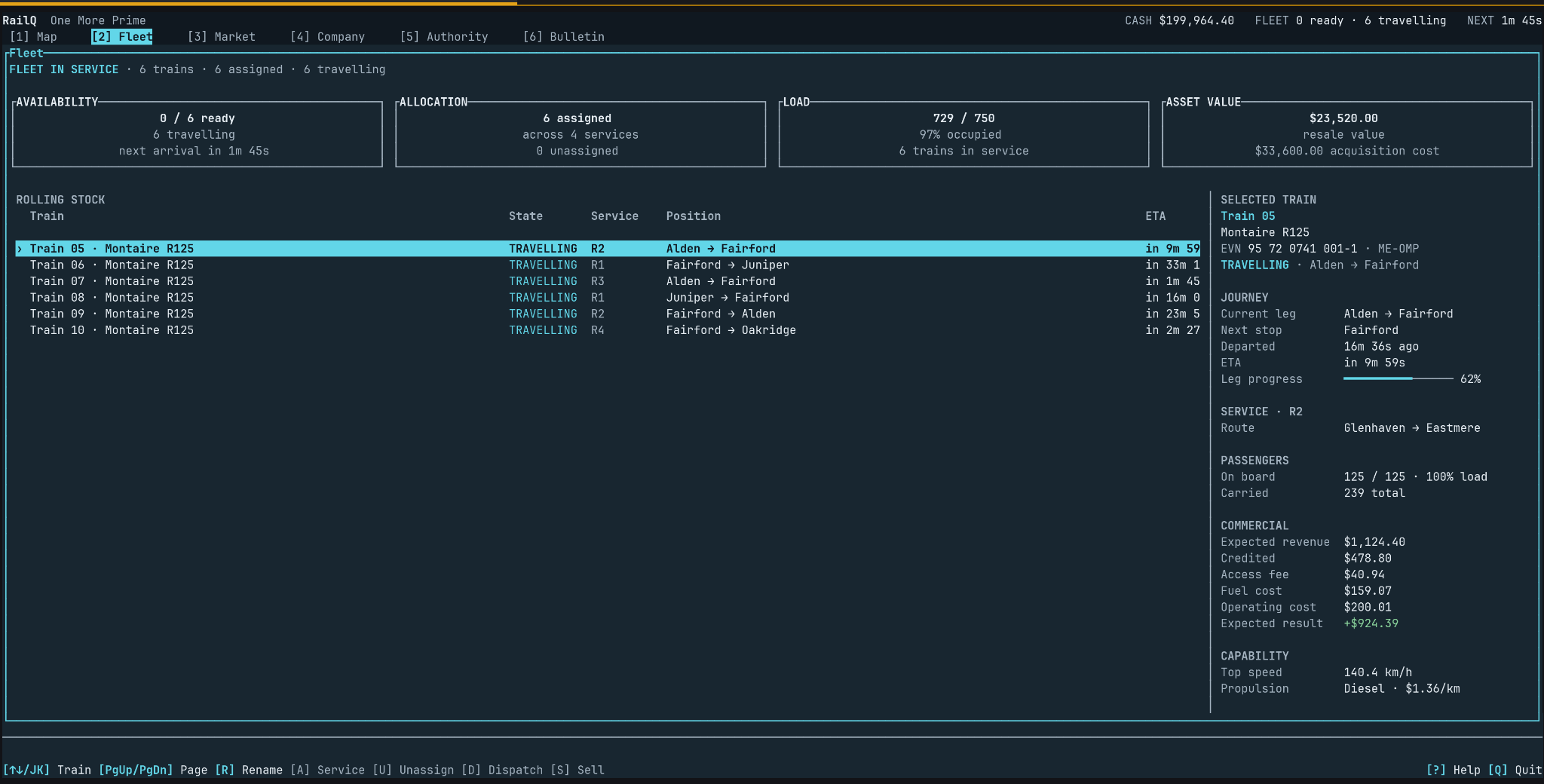
Swipe sideways to inspect the screenshot, or use Expand for a larger view.
Every train has a job.
Keep track of assignments, journey progress and the costs behind each movement.
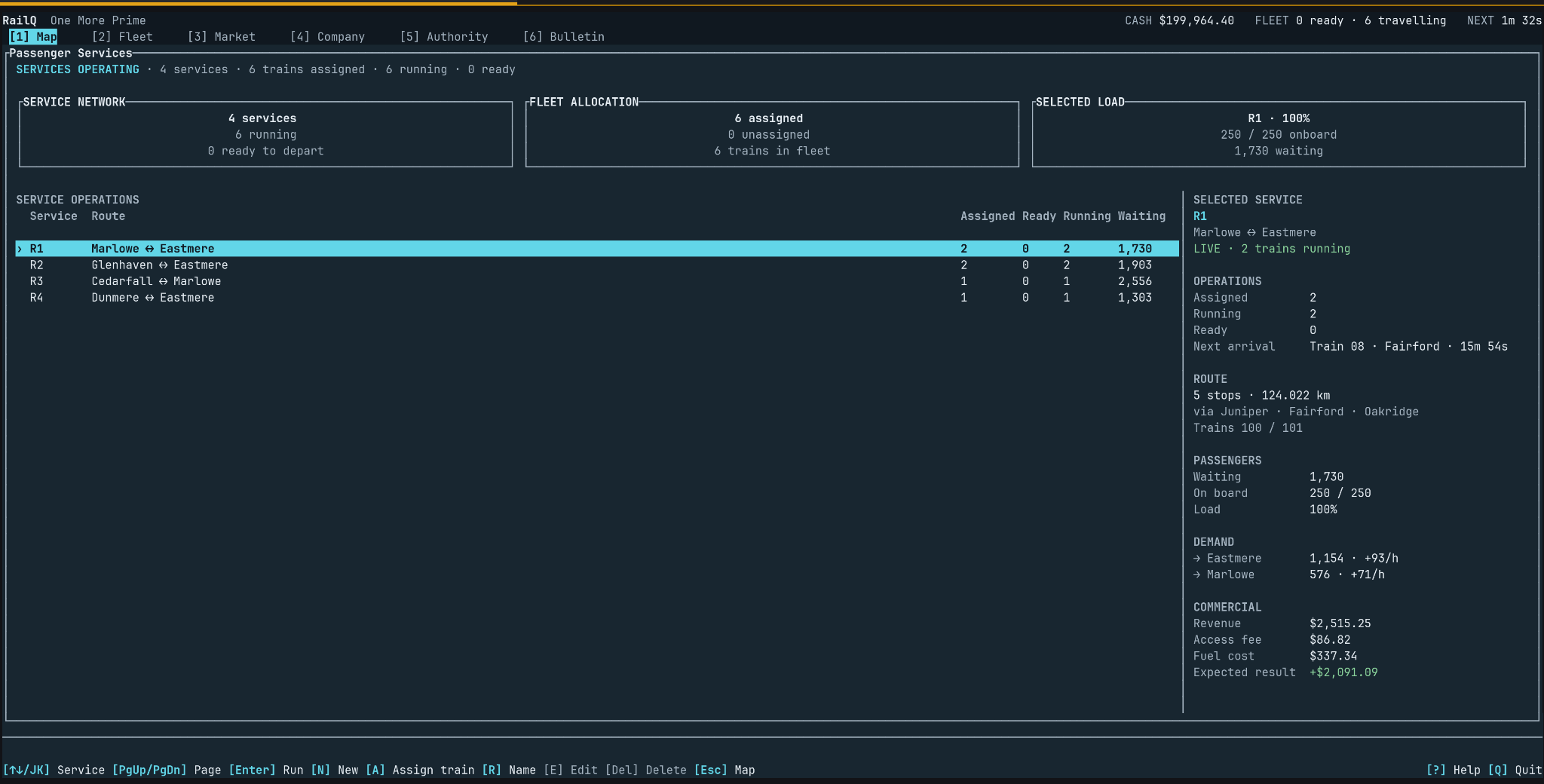
Swipe sideways to inspect the screenshot, or use Expand for a larger view.
Keep passengers moving.
Plan services, assign trains and respond as demand builds across the network.
A network you do not own
The independent Authority plans and delivers new infrastructure. Each change can open a different opportunity for your trains and services.
You run services on the network instead of building every track yourself.
Rethink routes and fleet allocation when the network expands.
Follow project stages, budgets and delivered infrastructure in the Authority workspace.
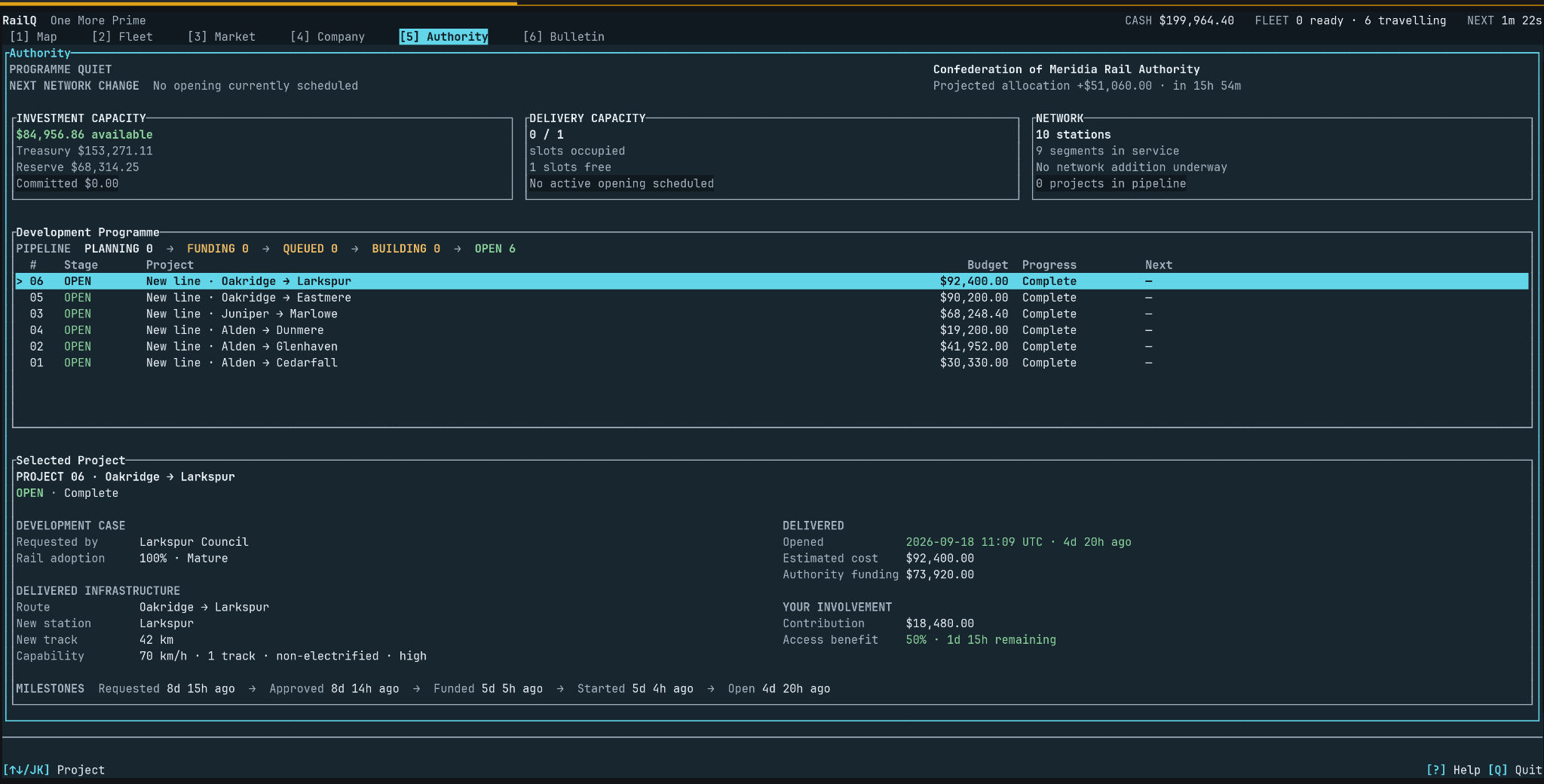
Swipe sideways to inspect the screenshot, or use Expand for a larger view.
The Authority workspace
Project stages, investment capacity and the infrastructure delivered to the network.
Public beta
The browser build is the quickest way to start playing. Prefer a terminal? SSH remains a first-class way to reach the same persistent game world with the same account and keyboard-driven interface.
Beta build
Bugs and rough edges are possible, and systems, balance, and interface details may change as development continues.
$ ssh play.onemorerail.eu
Interface
Keyboard-driven TUI
Access
Public beta over SSH
SSH server identity
Use this published fingerprint as the reference for the SSH endpoint. Expand the steps below if you want to verify it before connecting.
Expected fingerprint
SHA256:mtv1/L5UWav+uL8Z0Vr+QRP2LdCmfYDueEcPpbYO+ToRun this command before connecting, then compare the returned fingerprint with the one published above.
Verification command
$ ssh-keyscan play.onemorerail.eu 2>/dev/null | ssh-keygen -lf -The fingerprints should match exactly.
ssh-keyscan shows the key presented by the endpoint you reach. The fingerprint on this HTTPS page is the separate reference for comparison.
Public beta
The game is playable now, but systems, balancing, interface details, and saves may still change during development.